Activation
Activating Opentrons Flex Compliance Ready Software adds technical controls, like required documentation and user access, for FDA regulation 21 CFR part 11–ready operation. Software activation is permanent and secures the Flex in your lab for daily use.
An Opentrons-trained representative will install and activate Compliance Ready Software during an on-site visit. The price of the software includes installation, activation, and training.
During activation, your representative will first install the software using a service PIN unique to your robot. This is only used for activation, and your lab will never need to access it again.
Encryption key
After installation, your representative will use an encryption key to establish a connection between your unique Flex and the Opentrons App. This ensures that only approved users can control the Flex and access its records through your app.
The encryption key is a three-word string, and your Flex generates a new one every 30 seconds.
When you update settings or software, you may need to use the encryption key to re-establish your Flex's connection.
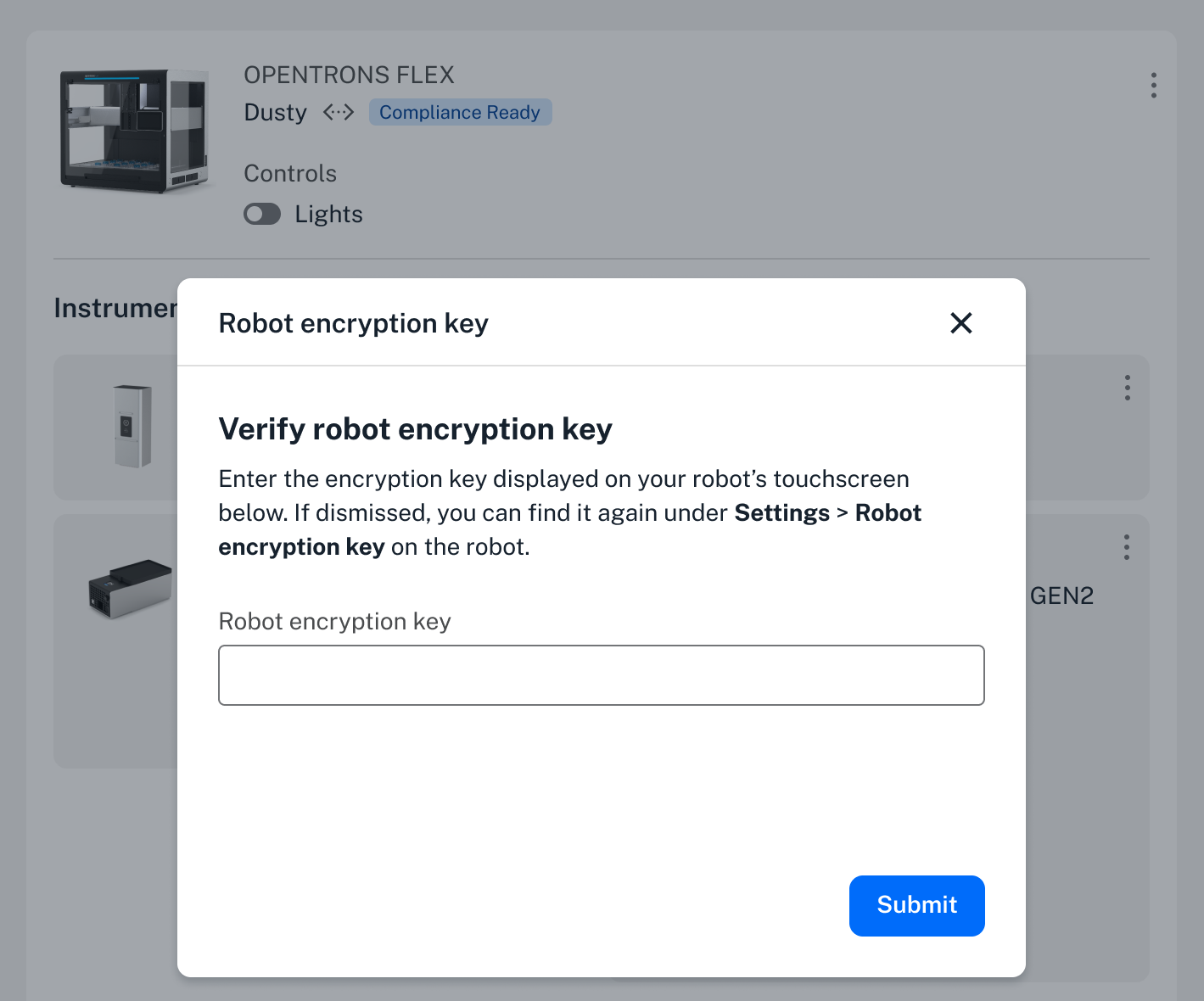
They key should appear on the Flex touchscreen whenever it's required in the app. To access the key any time:
- On the Flex touchscreen, choose Settings, then tap Robot encryption key.
- Tap View encryption key to see the current key and the countdown to a new one.
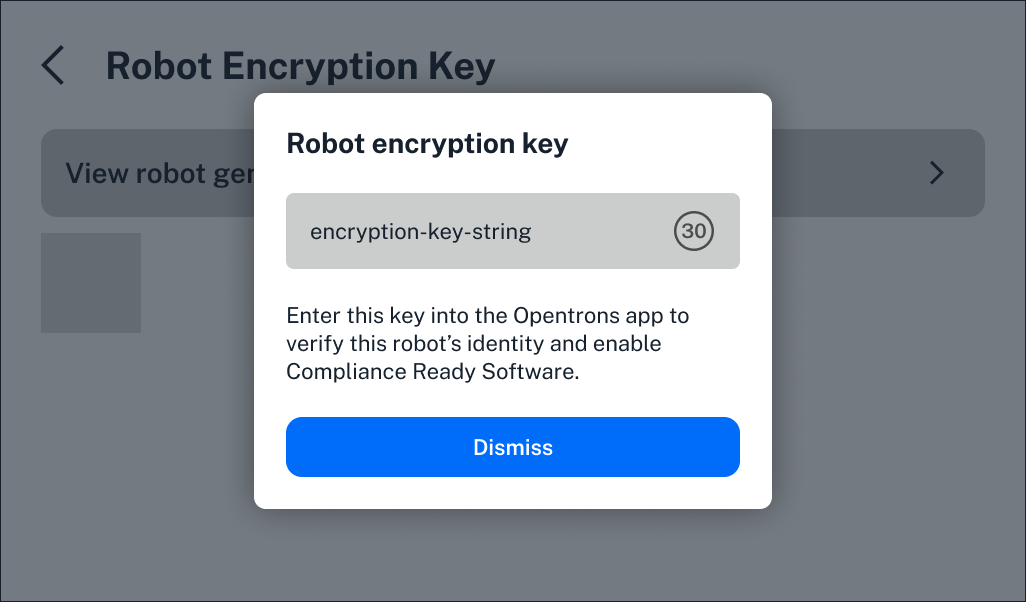
- In your Opentrons App, click the three-dot menu to the right of your robot's name to access its settings. Select the Advanced tab, then click to Enter encryption key.
You'll only be able to access the encryption key from the Flex touchscreen, and only add it in the Opentrons App.
Completing activation
Finally, your representative will create accounts for your lab to use, assigned either an administrator or user role. You'll also be able to customize Compliance Ready Software settings.
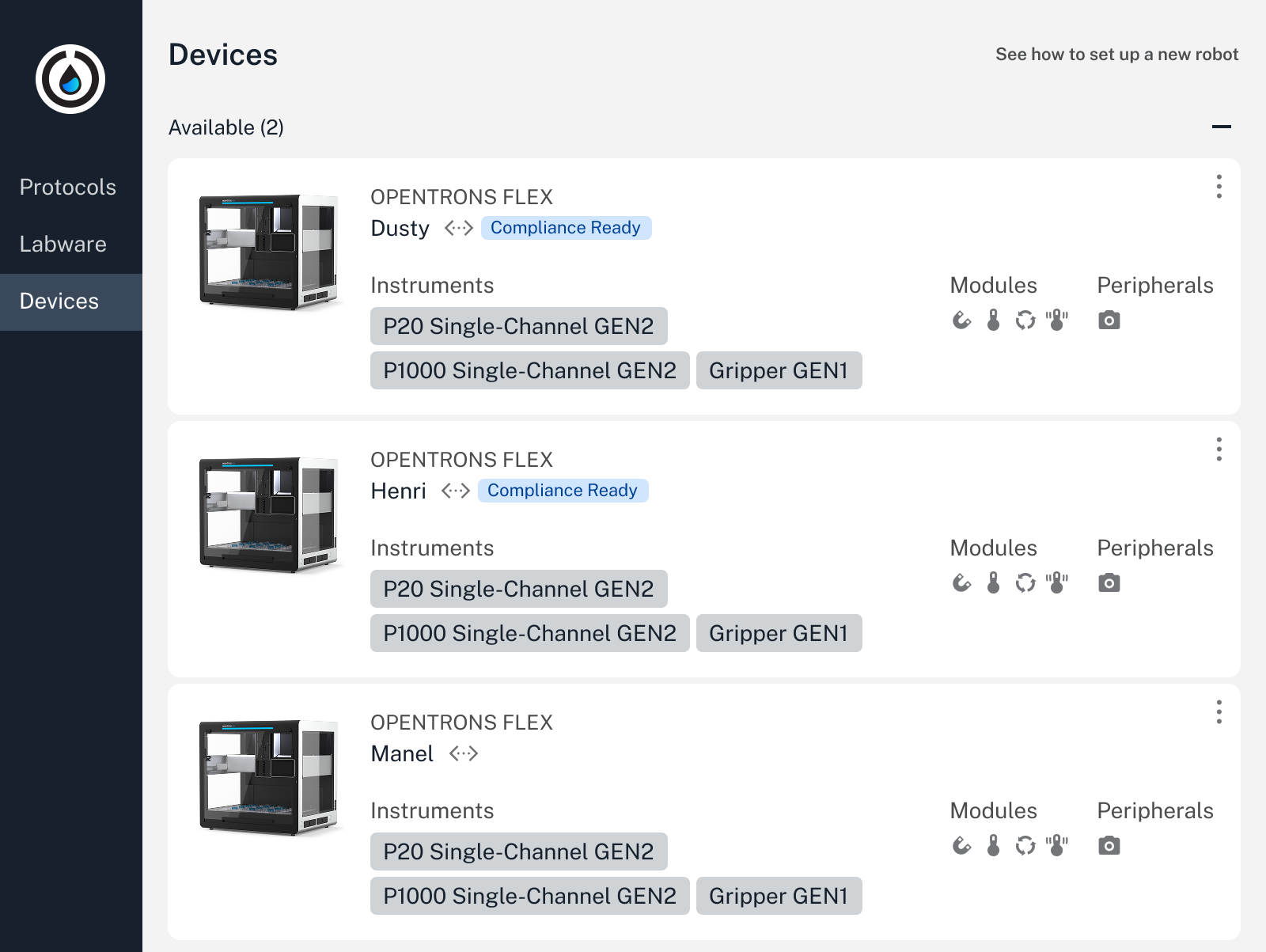
After setup, a "Compliance Ready" badge appears next to your Flex in the Opentrons App.
Note
Remember that you can control multiple robots through the same Opentrons App, including those that don't have Compliance Ready Software.
When you use the app to control a compliance ready Flex, you'll notice some differences, including required logins and documentation.
After activation, you'll need to add your own protocols and data management practices to use your Flex in a fully audit-ready workflow.